
How Schema Makes Your Car Dealership Visible in Google’s AI Results
A plain‑English guide to schema for car dealers, garages and caravan sites, with examples that help Google’s AI understand and feature your business.
TECHNICAL SEOAUTOMOTIVE SEOSMESLOCAL SEO
Jorge Jaroslavsky
3/9/202625 min read
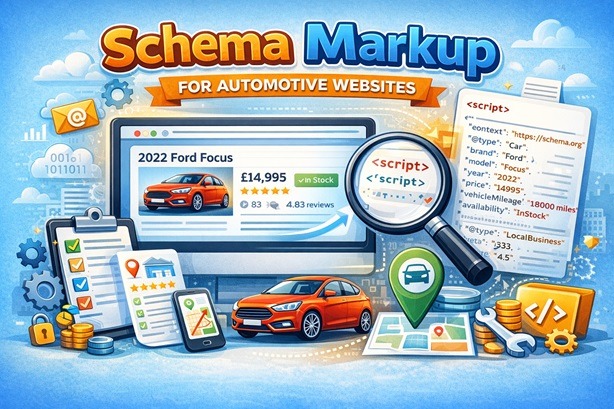
Schema Markup for Automotive Listings — Key Clues
Let me start with something that might surprise you.
Two car dealerships. Same town. Similar stock. Similar prices. One of them appears at the top of Google when someone searches "used Ford Focus near me." The other one doesn't appear at all — not on the first page, not in the map results, not even when you type the business name in.
The difference isn't budget. It isn't that the first dealership paid Google for adverts. And it isn't that they've been online longer or have a fancier website.
The difference, in most cases, comes down to something called schema markup — and it's one of the most powerful and most ignored tools available to automotive businesses in the UK today.
This guide is written for business owners, not for web developers or marketing agencies. It's based on the work I do helping automotive businesses improve their visibility in Google. I'm not going to assume you know anything about how websites work under the bonnet. What I am going to do is explain, in plain English, what schema markup is, why it matters enormously for your type of business right now, and show you exactly what it looks like — with real, working examples for car dealerships, garages, MOT centres, and caravan dealers.
By the end, you'll understand something that most of your local competitors almost certainly don't.
First, Let's Talk About How People Actually Find Businesses Like Yours in 2026
Think about the last time you searched for something on Google. You probably typed something like "car service Sheffield" or "used Vauxhall Astra under £10,000 Leeds." What did you see?
A few years ago, you'd have seen a simple list of blue links — ten website addresses, and you'd click the one that sounded most relevant.
That's changing rapidly, and for businesses like yours, it's changing in a way that matters a great deal.
Today, when someone searches for a car, a garage, or a caravan dealer, Google increasingly shows something different at the very top of the page. Before any of the traditional blue links, Google now generates its own written answer — a short paragraph or a list of businesses — pulled together automatically from information it has gathered across the web. This is called an AI Overview, and it is appearing for a growing share of automotive-related searches — a trend that has accelerated significantly in the UK over the past year.
Here's why this matters for you: if Google is going to write its own summary of "the best used car dealers near Manchester" or "reliable garages in Leeds," it needs to pull that information from somewhere. It pulls it from websites. Specifically, it pulls it from websites that have made their information easy to read, easy to understand, and easy to verify — in a format that computers can process quickly and confidently.
Schema markup is what makes your website one of those sources rather than one that gets skipped over.
What Is Schema Markup, in Plain English?
Imagine you're selling a 2022 Ford Focus. You write a description on your website: "2022 Ford Focus, 18,000 miles, £14,995, one owner, full service history, available now."
A human reading that understands everything perfectly. But Google's systems scan millions of pages every day. When they read your description, they see a collection of words — but they're not always certain what those words mean in relation to each other. Is £14,995 the price of the car, or the cost of a finance package? Is "18,000 miles" the mileage, or a reference to a service interval? Is this car still available, or is this an old listing that was never taken down?
Schema markup solves this problem completely. It's a small piece of hidden code — invisible to your customers, but read by Google — that labels everything on your page precisely. It tells Google: this is a vehicle listing. The price is £14,995 in British pounds. The mileage is 18,400 miles. The car is currently in stock. It is located at this dealership in Birmingham. This dealership has 83 customer reviews with an average rating of 4.7 out of 5.
Google now understands your page the same way a human would — but faster, with more confidence, and with the ability to use that information in search results in ways that directly benefit you.
The code itself looks technical — and we'll show you real examples shortly — but you don't need to write it yourself. Your web developer, your website platform, or an SEO specialist adds it in the background. You simply need to understand what it does and why you should insist it's on your website.
What Does Schema Markup Actually Do for My Business?
There are four concrete things schema markup does that directly affect how many customers find you.
It can show your star rating, price and availability directly in Google search results — before anyone even clicks your website. You've probably seen this yourself when searching for a restaurant or a product on Amazon. The gold stars appear right there in the search results, underneath the website name. For a car dealership or garage, this means your rating, your prices, and whether a car is in stock can all be visible in the search results page itself. This increases the likelihood of someone clicking through to your site significantly — people are far more likely to click a result that already shows them something reassuring.
It helps Google include your business in its AI-generated summaries. As described above, Google increasingly writes its own answer at the top of the search page. For that summary to mention your business, Google needs to be confident about who you are, where you are, what you sell, and what your customers think of you. Schema markup provides exactly that confidence. Without it, Google may simply skip your business and pull information from a competitor whose website is clearer to read.
It strengthens your local search presence. When someone searches "MOT garage near me" or "used cars Nottingham," Google's local results — the map and the three business listings that appear beneath it — are partly determined by how well Google understands your business. Schema markup reinforces your address, your opening hours, your phone number, and your services in a way that Google trusts deeply. This is particularly valuable for garages, service centres, and caravan dealers who rely almost entirely on local customers.
It signals to Google that your website is trustworthy. Google uses something called E-E-A-T — which stands for Experience, Expertise, Authoritativeness, and Trustworthiness — to judge which websites deserve to rank highly. A website with verified addresses, real phone numbers, legitimate customer reviews, and accurate stock information signals that it belongs to a real, established business. Schema markup is one of the primary ways you communicate that signal. Think of it as the digital equivalent of having a proper, well-signposted premises rather than a car sitting on a muddy roadside verge with a handwritten price in the window.
One important thing to understand about all four of these benefits: schema markup makes your business eligible for them — it doesn't guarantee them. Google decides what to display and when, and its criteria change over time. What schema does is remove the barriers that would otherwise prevent you from being considered. Think of it as making sure your hand is raised when Google looks for a source to feature. Without it, your hand isn't raised at all. — And Why That's an Opportunity for You
Here's the honest truth: the vast majority of independent car dealerships, garages, and caravan dealers in the UK either have no schema markup at all, or have it set up incorrectly. It's not because they're bad businesses. It's because nobody has ever explained it clearly, and their website designer may not have thought to include it.
This creates a genuine competitive advantage for businesses that do it properly. If you and your nearest competitor have similar websites, similar reviews, and similar stock — but you have correctly implemented schema markup and they don't — you give Google considerably more reason to show your business in local results, in AI Overviews, and in rich search results with star ratings. It is not a guarantee, but it makes you far easier for Google to trust and feature.
The opportunity is real, it's available right now, and it won't remain open indefinitely. As more businesses learn about this, the advantage narrows. The businesses that act now are the ones who build a durable lead.
A Quick Word About the Code You're About to See
The examples below contain something called JSON-LD. It looks like a page of technical symbols and it can feel intimidating if you've never seen it before. Please don't let that put you off.
You do not need to understand every line of it. What you need to understand is what each block of code represents — what it tells Google about your business — and that is exactly what I'll explain before and after each example.
Think of it the way you might think of a V5C logbook or an HPI check. You don't need to understand the DVLA's internal database systems to understand that a V5C proves ownership, and that a missing one raises red flags. Schema markup is similar — it's a standardised document that proves to Google what your business is, what it sells, where it is, and why it should be trusted.
Example 1: The Individual Car Listing Page
If you sell cars, the single most important place to start with schema markup is your individual vehicle listing pages — the pages that describe a specific car for sale.
Think about what a customer sees when they search "2022 Ford Focus for sale Birmingham." They're not looking for your homepage. They're not looking for your About Us page. They want to land directly on a page showing them the specific car they're interested in, with the price, the mileage, whether it's still available, and how to contact you.
Without schema markup, Google reads that listing page and does its best to figure out what it means. It might get it right, or it might misread the price as a product code, or assume the car was sold months ago because there's no clear signal that it's currently in stock. With schema markup, Google knows with complete certainty: this is a vehicle for sale, here is the exact price, here is the mileage, here is the VIN number confirming this is a real and specific car, here are the dealer's opening hours and phone number, and here are the customer reviews for this dealership. There is no ambiguity.
That certainty is what gets your listing shown — and shown prominently — when someone searches for exactly the kind of car you're selling.
There's one field in this code that deserves special attention: the description. This is the most human part of the schema, and it's the part most likely to be picked up and displayed by Google's AI systems. Write it the way you'd describe the car to a customer standing in front of you. Mention your town or area naturally. Mention who the car is right for. Don't just list technical specifications — speak to the buyer.
{
"@context": "https://schema.org",
"@type": "Vehicle",
"name": "2022 Ford Focus 1.0 EcoBoost ST-Line",
"description": "One owner, full Ford service history, 18,400 miles. Ideal family hatchback for commuting around Birmingham or the West Midlands. Apple CarPlay, heated seats, parking sensors.",
"brand": {
"@type": "Brand",
"name": "Ford"
},
"model": "Focus",
"vehicleModelDate": "2022",
"bodyType": "Hatchback",
"fuelType": "Petrol",
"mileageFromOdometer": {
"@type": "QuantitativeValue",
"value": 18400,
"unitCode": "MI"
},
"vehicleIdentificationNumber": "WF0FXXGCHFJA12345",
"color": "Magnetic Grey",
"driveWheelConfiguration": "FrontWheelDriveConfiguration",
"numberOfDoors": 5,
"vehicleTransmission": "Manual",
"vehicleEngine": {
"@type": "EngineSpecification",
"engineDisplacement": {
"@type": "QuantitativeValue",
"value": 1.0,
"unitCode": "LTR"
}
},
"offers": {
"@type": "Offer",
"price": "14995",
"priceCurrency": "GBP",
"availability": "https://schema.org/InStock",
"url": "https://jjseocarsdemo.co.uk/used/ford-focus-2022-st-line",
"seller": {
"@type": "AutoDealer",
"name": "JJSEO Cars",
"address": {
"@type": "PostalAddress",
"streetAddress": "1 JJSEO Street",
"addressLocality": "Birmingham",
"postalCode": "B1 2HP",
"addressCountry": "GB"
},
"telephone": "+441212345678",
"url": "https://jjseocarsdemo.co.uk",
"openingHoursSpecification": [
{
"@type": "OpeningHoursSpecification",
"dayOfWeek": ["Monday","Tuesday","Wednesday","Thursday","Friday"],
"opens": "09:00",
"closes": "18:00"
},
{
"@type": "OpeningHoursSpecification",
"dayOfWeek": "Saturday",
"opens": "09:00",
"closes": "17:00"
}
]
}
},
"aggregateRating": {
"@type": "AggregateRating",
"ratingValue": "4.7",
"reviewCount": "83"
}
}
Notice a few things. The code includes not just the car's details but also the dealer's address, phone number, and opening hours. This matters because Google wants to connect the vehicle to a real, locatable business — not just a web page floating in the ether. The aggregateRating section — the star rating and number of reviews — is what can appear visually in Google's search results, encouraging more people to click through. And the vehicleIdentificationNumber (the VIN) is particularly powerful: it's a unique, verifiable identifier that tells Google this is a real, specific vehicle — not a duplicate listing copied from somewhere else or a generic placeholder that was never taken down.
If you have thirty cars on your forecourt, this code should exist — adapted for each vehicle — on each of those thirty listing pages. If your website runs on a modern platform, a developer can set this up to generate automatically for every new listing you add, so you never have to think about it again.
Example 2: The Car Service Centre or Independent Garage
Garages and independent service centres are, in my experience, the most undersupported businesses when it comes to online visibility. The irony is that the searches people make when they need a garage are amongst the most urgent and commercially valuable searches there are.
Think about it from a customer's perspective. When someone searches "car service near me" or "brake pads replaced Sheffield," they are not browsing idly. They are ready to book. They have a need — probably this week, possibly today — and they will call or book online the moment they find a business they trust. The challenge is that most garages give Google very little that is specific and verifiable.
There might be a homepage that says "we offer servicing, repairs and MOTs" — but Google doesn't know your exact opening hours with confidence, doesn't know what a service actually costs at your garage compared to others, and can't confirm how many people have reviewed you and what they said. The result is that Google's local results tend to favour the garages that have given it the clearest, most structured picture of who they are and what they offer.
Schema markup changes all of that. The AutoRepair schema type — which is the correct one for garages, service centres, and repair workshops — allows you to publish your exact services, with prices, directly in a format Google can read and display.
The hasOfferCatalog section is particularly powerful here. This is the part of the code where you list your individual services — full service, interim service, MOT, brake replacement, diagnostics, tyres — along with their prices. When Google reads this, it doesn't just know you offer servicing. It knows you offer a full service for £149 and an interim service for £79. That level of specificity is what gets you into AI Overviews when someone searches "how much does a full car service cost in Sheffield" — because your website is one of the very few that answers that question clearly.
The sameAs field at the bottom — where you link your website to your Google Maps listing and your Facebook page — is also important. It tells Google that your website, your Google Business Profile, and your social media presence all belong to the same real-world business. This stops Google treating them as three separate, unconnected things and starts treating them as one coherent, verified business — which significantly strengthens how it ranks you locally.
{
"@context": "https://schema.org",
"@type": "AutoRepair",
"name": "JJSEO Garage",
"description": "Independent car service and repair garage in Sheffield. We offer full and interim services, MOT testing, brake work, tyres, and diagnostics on all makes and models. Family run since 1997.",
"url": "https://jjseogaragedemo.co.uk",
"telephone": "+441142345678",
"priceRange": "££",
"address": {
"@type": "PostalAddress",
"streetAddress": "2 JJSEO Street",
"addressLocality": "Sheffield",
"postalCode": "S11 8PB",
"addressCountry": "GB"
},
"geo": {
"@type": "GeoCoordinates",
"latitude": 53.3781,
"longitude": -1.4823
},
"openingHoursSpecification": [
{
"@type": "OpeningHoursSpecification",
"dayOfWeek": ["Monday","Tuesday","Wednesday","Thursday","Friday"],
"opens": "08:00",
"closes": "17:30"
},
{
"@type": "OpeningHoursSpecification",
"dayOfWeek": "Saturday",
"opens": "08:30",
"closes": "13:00"
}
],
"hasOfferCatalog": {
"@type": "OfferCatalog",
"name": "Car Servicing & Repair",
"itemListElement": [
{
"@type": "Offer",
"itemOffered": {
"@type": "Service",
"name": "Full Car Service",
"description": "Comprehensive 60-point inspection including oil change, filters, brakes, and safety check."
},
"price": "149.00",
"priceCurrency": "GBP"
},
{
"@type": "Offer",
"itemOffered": {
"@type": "Service",
"name": "Interim Car Service",
"description": "Oil and filter change plus essential safety checks. Recommended every 6 months."
},
"price": "79.00",
"priceCurrency": "GBP"
},
{
"@type": "Offer",
"itemOffered": {
"@type": "Service",
"name": "MOT Test",
"description": "Class 4 MOT testing for cars and light vans. Same-day results.",
"provider": {
"@type": "AutoRepair",
"name": "JJSEO Garage"
}
},
"price": "54.85",
"priceCurrency": "GBP"
}
]
},
"aggregateRating": {
"@type": "AggregateRating",
"ratingValue": "4.8",
"reviewCount": "142"
},
"sameAs": [
"https://www.google.com/maps?cid=YOUR_CID",
"https://www.facebook.com/jjseogaragedemo"
]
}
One detail worth explaining: the geo section — the latitude and longitude coordinates — might seem unnecessary when you've already provided your full postal address. But Google uses both, for good reason. The written address tells it where you are. The coordinates confirm it, to a level of precision that a street address alone can't always provide. In areas where street numbering is inconsistent, where a road spans several postcodes, or where two streets in the same town share a similar name, coordinates are what tell Google definitively where you sit on a map. It takes a developer thirty seconds to add and it removes any possible ambiguity.
Example 3: The MOT Testing Centre
MOT searches deserve their own section because they're a special case. Every car owner in the UK knows their MOT falls due once a year — it's a legal requirement with no wiggle room. That means the searches happen reliably, every month, in every town in the country. "MOT test near me," "MOT Leeds," "cheap MOT Sheffield," "MOT while I wait" — these are high-volume searches with one very clear intent: the person needs to book an MOT, probably within the next few days.
And yet the majority of MOT testing stations have either no schema markup or the most basic possible version. This means that when Google assembles its local results for "MOT garage near me," it's choosing from a pool of businesses about which it has limited structured information. The stations that have properly implemented schema stand out clearly — because Google can verify exactly who they are, where they are, what they charge, and what customers say about them.
There are a couple of things specific to MOT schema that are worth knowing. First, there are different classes of MOT — Class 4 for standard cars and light vehicles, Class 7 for light goods vehicles and larger vans such as the Ford Transit and Mercedes Sprinter. If your testing station is authorised for both, say so explicitly in the schema. Most MOT centres authorised for Class 7 tests never mention it on their website, let alone in their schema. But someone with a larger van searching for a Class 7 MOT will find very few stations that communicate this clearly online — and yours could be one of the only ones that does.
Second, the price of an MOT is regulated by the DVSA as a maximum charge — currently £54.85 for a Class 4 test. Including this price in your schema is a straightforward trust signal. It tells customers immediately what to expect, and it tells Google that you're transparent and operating within the proper regulatory framework. Many people searching for an MOT are anxious about being overcharged — a clearly stated price removes that anxiety before they've even clicked your website.
{
"@context": "https://schema.org",
"@type": "AutoRepair",
"name": "JJSEO MOT Centre",
"description": "DVSA-approved MOT testing station in Leeds. Class 4 and Class 7 MOTs available with same-day results. Walk-ins welcome — no appointment needed for MOT tests. Free retest within 10 days if we carry out the repairs.",
"url": "https://jjseomotdemo.co.uk",
"telephone": "+441132345678",
"address": {
"@type": "PostalAddress",
"streetAddress": "3 JJSEO Street",
"addressLocality": "Leeds",
"postalCode": "LS4 2AS",
"addressCountry": "GB"
},
"hasOfferCatalog": {
"@type": "OfferCatalog",
"name": "MOT Testing",
"itemListElement": [
{
"@type": "Offer",
"itemOffered": {
"@type": "Service",
"name": "Class 4 MOT Test",
"description": "Official DVSA MOT test for cars, taxis, and light vans up to 8 passenger seats. Certificate issued on the day."
},
"price": "54.85",
"priceCurrency": "GBP"
},
{
"@type": "Offer",
"itemOffered": {
"@type": "Service",
"name": "Class 7 MOT Test",
"description": "MOT test for goods vehicles with a design gross weight between 3,000kg and 3,500kg, including larger vans such as the Ford Transit and Mercedes Sprinter."
},
"price": "58.60",
"priceCurrency": "GBP"
}
]
},
"aggregateRating": {
"@type": "AggregateRating",
"ratingValue": "4.9",
"reviewCount": "219"
}
}
Notice the description field includes practical details that a customer genuinely wants to know before they decide where to go: walk-ins welcome, same-day results, free retest. These aren't just nice things to say on a website — they're exactly the kind of qualifying information that Google's AI pulls out when generating summaries for searches like "can I walk in for an MOT in Leeds without booking." If that information is in your schema, it can be surfaced. If it isn't there, it won't be found.
Example 4: The Caravan and Motorhome Dealer
Of all the business types covered in this guide, caravan and motorhome dealers are — by some distance — the least well served by schema markup in the UK. It is genuinely unusual to find a caravan dealership that has any meaningful structured data at all, which means the opportunity here is greater than almost anywhere else in the automotive sector.
This is a significant missed opportunity, because caravan buyers are highly motivated searchers. Someone looking for a "4-berth touring caravan under £25,000 in Cumbria" or a "used Bailey Pegasus motorhome for sale" is not browsing out of idle curiosity — they've already decided they want to buy, and they're now looking for the right vehicle from the right dealer. This kind of specific, high-intent search is exactly where schema markup delivers its greatest value, because it allows your listing to match that precise search with confidence.
There is a common misconception that the Vehicle schema type only applies to cars. It doesn't. It covers all vehicles, including touring caravans, motorhomes, campervans, and static caravans. The same structured framework that Google uses to understand a car dealership listing can be applied equally to a Bailey Pegasus or a Burstner motorhome — you simply adjust the relevant fields to reflect the correct type of vehicle.
For caravans specifically, the description field is even more important than it is for cars, because buyers use much more specific language when they search. Words like "island bed," "fixed bed," "end washroom," "Alde heating," "AL-KO chassis," and "motor mover" are genuine search terms used by knowledgeable buyers who know exactly what they want. If your schema description includes the terms real buyers use, and your competitors' descriptions don't, your listing becomes significantly more relevant to those searches in Google's assessment. You don't need to stuff in every keyword — write naturally, but write with specificity.
{
"@context": "https://schema.org",
"@type": "Vehicle",
"name": "2021 Bailey Pegasus Grande SE Brindisi 4-Berth Touring Caravan",
"description": "Lightweight 4-berth touring caravan in excellent condition with a fixed island bed layout and full-size end washroom. Fitted with Alde heating, AL-KO chassis, and motor mover. One owner from new with full Bailey service history. Ideal for couples or families looking for a quality mid-range touring caravan in the Lakes or Yorkshire Dales.",
"brand": {
"@type": "Brand",
"name": "Bailey"
},
"model": "Pegasus Grande SE Brindisi",
"vehicleModelDate": "2021",
"bodyType": "Caravan",
"vehicleConfiguration": "Touring Caravan",
"offers": {
"@type": "Offer",
"price": "22495",
"priceCurrency": "GBP",
"availability": "https://schema.org/InStock",
"url": "https://jjseocaragvansdemo.co.uk/used/bailey-pegasus-grande-2021",
"seller": {
"@type": "AutoDealer",
"name": "JJSEO Caravans",
"description": "Family-run caravan and motorhome dealer in Kendal, Cumbria. New and used touring caravans, motorhomes, and campervans. Accessories shop, secure storage, and full workshop servicing. Established 1989.",
"address": {
"@type": "PostalAddress",
"streetAddress": "4 JJSEO Road",
"addressLocality": "Kendal",
"addressRegion": "Cumbria",
"postalCode": "LA9 6NZ",
"addressCountry": "GB"
},
"telephone": "+441539234567",
"url": "https://jjseocaragvansdemo.co.uk",
"openingHoursSpecification": [
{
"@type": "OpeningHoursSpecification",
"dayOfWeek": ["Monday","Tuesday","Wednesday","Thursday","Friday","Saturday"],
"opens": "09:00",
"closes": "17:00"
},
{
"@type": "OpeningHoursSpecification",
"dayOfWeek": "Sunday",
"opens": "10:00",
"closes": "15:00"
}
]
}
},
"aggregateRating": {
"@type": "AggregateRating",
"ratingValue": "4.6",
"reviewCount": "57"
}
}
For motorhomes, use "bodyType": "Motorhome" and add engine and fuel type fields exactly as shown in the car listing example. For campervans, use "bodyType": "Campervan". These distinctions matter to Google — they're how it tells a motorhome search apart from a touring caravan search, and matching the right result to the right buyer's search is precisely what Google is designed to do. Help it do that job, and it will reward you with the visibility.
Example 5: FAQ Schema — One of the Clearest Signals You Can Give Google
This example is slightly different from the others. It's not specific to one type of automotive business — it applies to all of them. And it is, in my view, one of the clearest signals you can give Google that your website deserves to appear when someone asks a direct question related to your business.
You've almost certainly seen FAQ sections on websites — the expandable list of questions and answers that often sits near the bottom of a page. "Do you offer finance?" "How long does a service take?" "What's the difference between a full and an interim service?" Many businesses already have this kind of content on their websites without realising it.
What most businesses don't know is that Google has a specific schema type for FAQ content — and when it's applied correctly, your answers become eligible to appear in Google's AI Overviews when someone asks that exact question. I want to be clear that this is not a guarantee — Google decides what to surface and when, and its approach to FAQ rich results has changed over the years. But structured Q&A content is precisely what AI systems look for when generating answers, and marking it up correctly means your content is in the best possible position to be selected.
Think about what that means in practice. If someone types "do used car dealers offer part exchange" into Google, and your FAQ page has a clear, honest, well-written answer to that question marked up with FAQ schema — Google may draw on your answer in its response. Your business name and a link to your page can appear in the AI Overview. You become the answer. Not just a result somewhere on the page.
The most important thing to understand about writing FAQ content for this purpose is that you should write the answers the way your customers actually ask the questions — because those are the same words they type into Google. Don't write "Part exchange services are available subject to vehicle assessment." Write: "Yes, we take part exchanges on almost any car in any condition. Bring your car in and we'll give you a written valuation on the spot — no pressure, no obligation." That's the kind of answer Google's AI wants to surface, because it's the kind of answer a real person actually needs.
{
"@context": "https://schema.org",
"@type": "FAQPage",
"mainEntity": [
{
"@type": "Question",
"name": "Do you offer finance on used cars?",
"acceptedAnswer": {
"@type": "Answer",
"text": "Yes, we offer both HP (Hire Purchase) and PCP (Personal Contract Purchase) finance on all vehicles, subject to status. We work with a panel of lenders to find the most competitive rate for your circumstances. Representative APR 9.9%. A finance decision can usually be given on the same day."
}
},
{
"@type": "Question",
"name": "Do your used cars come with a warranty?",
"acceptedAnswer": {
"@type": "Answer",
"text": "Every used car we sell comes with a minimum 3-month warranty as standard. We also offer extended cover of 12 or 24 months through our warranty partner. Full terms are available on request before you buy."
}
},
{
"@type": "Question",
"name": "Can I part exchange my current car?",
"acceptedAnswer": {
"@type": "Answer",
"text": "Yes. We accept part exchanges on all makes, models, and conditions. Simply bring your car in and we'll give you a free, written valuation with no obligation to proceed. Any value agreed is deducted directly from the price of your new car."
}
},
{
"@type": "Question",
"name": "Are your used cars HPI checked?",
"acceptedAnswer": {
"@type": "Answer",
"text": "Yes, every vehicle we sell has been independently HPI checked before it goes on sale. This confirms the car has no outstanding finance against it, has not been written off, has not been reported stolen, and that the recorded mileage is consistent with its history. A copy of the HPI certificate is available for every car on our forecourt."
}
}
]
}
There's no limit to how many questions you include, but quality matters more than quantity. Start with the questions customers actually ask you face-to-face or over the phone every week — those are the same questions they're typing into Google. For a garage, think about questions like "how long does a full service take," "do I need to book an MOT" and "what happens if my car fails its MOT." For a caravan dealer, think about "do you take part exchange on caravans," "do you offer storage" and "can I get finance on a used caravan." Every one of those questions is a search someone is making right now.
Example 6: Your Homepage — Telling Google Exactly Who You Are
Everything above has been about specific pages — car listings, service pages, FAQ sections. But your homepage needs its own schema too, and it serves a different and equally important purpose.
Your homepage is where Google forms its overall understanding of your business as a whole. Not just what you sell, but who you are, where you are, how long you've been trading, and what kind of reputation you've built. Think of it as your business's official registration document with Google — the place where you declare, clearly and completely, everything Google needs to know in order to represent you accurately.
This is where you include your full address, your phone number, your opening hours for every day of the week, a link to your Google Maps listing, links to your social media profiles, and your overall customer rating. The sameAs field is particularly important — this is where you list every other place your business appears online, whether that's Google Maps, Facebook, Auto Trader, Gumtree, or any other platform. What this does is stitch together all of your online presences into a single, coherent identity that Google can verify and trust. Without it, Google may treat your website, your Google Business Profile, and your Facebook page as three separate, unrelated things. With it, they become one confirmed business — and that confirmation strengthens everything else you do online.
{
"@context": "https://schema.org",
"@type": "AutoDealer",
"name": "JJSEO Cars",
"url": "https://jjseocarsdemo.co.uk",
"logo": "https://jjseocarsdemo.co.uk/images/logo.png",
"image": "https://jjseocarsdemo.co.uk/images/showroom.jpg",
"description": "Independent used car dealer in Manchester. Over 120 cars in stock at any time, all HPI checked, all with at least 3 months' warranty. Finance available on all vehicles. Family business established in 2003.",
"telephone": "+441612345678",
"address": {
"@type": "PostalAddress",
"streetAddress": "5 JJSEO Road",
"addressLocality": "Manchester",
"postalCode": "M25 1JA",
"addressCountry": "GB"
},
"geo": {
"@type": "GeoCoordinates",
"latitude": 53.5187,
"longitude": -2.2765
},
"openingHoursSpecification": [
{
"@type": "OpeningHoursSpecification",
"dayOfWeek": ["Monday","Tuesday","Wednesday","Thursday","Friday"],
"opens": "09:00",
"closes": "18:00"
},
{
"@type": "OpeningHoursSpecification",
"dayOfWeek": ["Saturday","Sunday"],
"opens": "10:00",
"closes": "16:00"
}
],
"aggregateRating": {
"@type": "AggregateRating",
"ratingValue": "4.8",
"reviewCount": "312"
},
"sameAs": [
"https://www.google.com/maps?cid=YOUR_CID_HERE",
"https://www.facebook.com/jjseocarsdemo",
"https://www.autotrader.co.uk/dealers/jjseocarsdemo"
]
}
The description field here is worth spending real time on. It should read like a confident, factual summary of your business — the kind of thing you'd want Google to say about you if it were introducing your business to a potential customer. Mention how long you've been trading. Mention what makes your business different from others nearby. Include practical details like whether you offer finance or warranties. And crucially, avoid hollow marketing language. "Professional, friendly service" tells Google nothing meaningful. "Family business, 120 cars in stock, all HPI checked, finance available, established 2003" tells it a great deal — and the specificity is what Google values.
How Does This Actually Get Added to My Website?
This is the question most business owners ask at this point, and it's a fair one.
Schema markup is added by whoever looks after your website — your web developer, your website platform, or an SEO specialist experienced in automotive websites. It goes into the background code of each relevant page, inside a small piece of code that looks like this:
<script type="application/ld+json">
{ ... the schema code for this page ... }
</script>
Your visitors never see this. It doesn't change how your website looks or how it works. It simply sits in the background providing an additional layer of clear, structured information that search engines read every time they visit your site.
If your website runs on WordPress — which is the most widely used website platform in the world — there are well-established plugins that can generate schema markup automatically for your listings, so that every new car or caravan you add to the site automatically gets the correct structured data without anyone having to do it manually. If you use a specialist automotive website platform or a dealer management system, it may already have schema functionality built in that simply needs to be switched on and correctly configured.
If you're not sure whether your website currently has any schema markup at all, the easiest way to check is to go to Google's free Rich Results Test tool — search for it on Google, it comes up first — and enter your website address. It will show you exactly what schema, if any, is currently present, and whether it has been implemented correctly. If the answer is nothing, or if it shows errors, then you know where to start.
Where to Start: A Sensible Order of Priority
If your website currently has no schema markup, the thought of implementing everything described in this guide might feel like a lot. It doesn't need to be done all at once. Here is a sensible order to work through, starting with what will have the most immediate impact.
Start with your homepage schema. This establishes your business identity with Google and reinforces your local presence. For a garage or service centre, this alone — done properly — can begin to improve your position in local "near me" searches within a few weeks.
Next, add schema to your most important pages. For a dealer, that means the individual car or caravan listing pages. For a garage, it means the servicing and MOT pages with the services and prices listed clearly. These pages are where your potential customers land when they're ready to buy or book, so these are the pages where structured data has the most direct commercial impact.
After that, work through your FAQ content and any other pages where you answer customer questions. This is where you start building your presence in AI Overviews — the increasingly prominent answers that appear above the traditional search results.
One important point about maintenance: schema markup needs to be kept accurate. If your prices change, if your opening hours change over bank holidays, if a car sells and is no longer available, the schema needs to reflect that promptly. Outdated or inaccurate schema — particularly listing a car as available when it's already sold — can actually work against you, because it signals to Google that your information isn't reliable. Accuracy is as important as implementation.
Why This Matters More Right Now Than It Did Two Years Ago
Schema markup has existed for over a decade. So why is it suddenly receiving so much attention?
The honest answer is that Google's behaviour has changed. Two years ago, the main benefit of schema was the visual enrichment of search results — the star ratings, the prices, the "in stock" labels shown beneath a website name in the search results. Those benefits were real but relatively modest.
What has changed is the rise of AI-generated answers in search. When Google now writes a summary answer at the top of the page — "Here are three used car dealers near Manchester with finance available" or "Independent garages in Leeds offering same-day MOTs" — it is drawing on structured, verified, schema-marked data. Businesses without schema are largely invisible to this process. Businesses with well-implemented schema are precisely what Google is looking for as a source.
It is worth noting that the role of schema has shifted somewhat over recent years. Google has periodically tightened or changed which types of schema generate visible rich results in the traditional sense — the star ratings and price displays you see directly in search listings. The benefit of schema today is as much about feeding Google's AI and knowledge systems as it is about classic rich snippets. In practice, this makes it more important, not less — because the AI systems that generate overviews and summaries rely heavily on structured data to identify trustworthy, citable sources.
For automotive businesses, this shift is particularly significant because the searches in this sector are so specific. People don't just search "cars for sale." They search "low mileage 2021 Honda Jazz automatic near Harrogate." They search "Ford Transit Class 7 MOT Leeds." They search "Bailey caravan with island bed under £20,000 Yorkshire." The more specific the search, the more important it is that your listing is structured precisely — and schema markup is what makes that precision possible.
The businesses getting this right now are building an advantage that compounds over time. Every month of accurate, well-maintained schema adds to the body of verified data Google holds about your business. That trust is not quick or easy for a late-adopting competitor to replicate.
A Final Word
Schema markup is not a magic solution on its own. It won't compensate for a website that loads slowly, is difficult to use on a mobile phone, or contains poor and inaccurate information. It works best as part of a website that is well-maintained, honest, and genuinely useful to the people who visit it.
But for independent car dealers, family garages, MOT centres, and caravan dealers across the UK — businesses that are often outstanding at what they do but have been left behind by the pace of change online — schema markup is one of the highest-impact improvements available right now. And it remains almost entirely ignored by the majority of your competitors.
The examples in this guide are yours to use. If you pass them to a web developer or your website provider with the instruction "please implement these on the relevant pages using our actual business details," that is enough to make a meaningful start.
A 5‑minute checklist for owners
Ask your web person: “Do we have JSON‑LD schema on our homepage, listings, service pages and FAQs?”
Run your site through Google’s Rich Results Test and check if it finds Vehicle, AutoDealer or AutoRepair schema.
Check that any prices, opening hours and availability in the test match what’s on your site today.
If anything is missing or wrong, forward them this guide and ask them to use the relevant examples.
Set a reminder to re‑check after a price change or major stock update.
If you would like us to review your current website and identify exactly what schema is missing, what needs correcting, and where the greatest opportunities are for your specific type of business, I offer a free initial audit with no obligation whatsoever.
Related blog posts:
How Independent Car Dealers Can Actually Win More Customers With Voice Search in 2025
The Complete SEO Guide for Campervan & Caravan Dealers
SEO for Insurance Brokers UK: Guide from Leeds Consultant
SEO for Motorcycle Training Schools and CBT Providers UK
Used Car SEO UK: Prestige vs Specialist Dealers Explained
Technical Hreflang Implementation Guide: English to Spanish (2026)
How to Fix Duplicate Content on Your Campervan Dealer Stock Listings
Expertise
Senior technical SEO for SMEs in regulated, automotive, funeral and multilingual markets.
Mail to: jj@jjseo.co.uk
© 2026 JJSEO | Jorge Jaroslavsky, Senior SEO Consultant, Leeds